To change only the hairstyle in an AI image, use an edit (inpaint) mode, mask the hair but stop the mask just short of the hairline, forehead and eyes, and write the instruction as a command that names the new hair and protects the face: "Change her hair to a short grey bob with a side parting. Keep her face, expression, skin and everything else exactly the same." If the face still shifts, make the mask smaller and change the cut and the colour in two separate passes.
This builds on how to fix one part of an AI image without regenerating the whole thing. Hair is one of the most common edits people want, and one of the easiest to get wrong, because hair touches the face.
Why the face changes when you only asked for new hair
Three things usually cause it:
- There was no mask. Chat-style tools without a selection make a whole new picture from your words. The face comes back as a close relative of the person, not the person.
- The mask overlapped the face. Hair frames the forehead, temples and cheeks. If your mask covers any of that, the model is allowed to repaint it, and it will.
- The prompt implied a different person. Words like "younger", "glamorous" or "a model with long hair" change more than hair. The model hears a new character.
How to mask hair
- Cover all of the hair, including where the new style will go. If you are making short hair long, mask the shoulders and background where the new length will fall.
- Stop just above the hairline. Leave the forehead, eyebrows, eyes and ears out of the mask unless the new style genuinely covers them.
- Fringes are the hard case. A fringe has to sit on the forehead, so the forehead has to be in the mask. Keep that part as small as you can and say clearly that the eyes and eyebrows stay as they are.
- A rough mask is fine. You are pointing, not tracing. Slightly too much background is better than slightly too much face.
Prompt templates that work
Describe the hair the way you would to a hairdresser: length, colour, texture, parting, and how it sits. Then protect the face.
- "Change his hair to short, neat, grey hair, combed back. Keep his face and expression exactly the same."
- "Make her hair shoulder-length and curly, dark brown, with a centre parting. Change nothing else."
- "Tie her hair up in a loose bun with a few strands falling at the sides. Keep her face, glasses and earrings exactly as they are."
- "Change only the hair colour to auburn. Keep the cut, the face and everything else the same."
- "Give him a 1970s hairstyle: thick, collar-length, side parting. Keep his face unchanged."
Two things help almost every time. Start with a verb ("Change", "Make", "Tie"), and end with what must stay the same. Era words such as "1950s" or "1980s" work well for hair because they come with a clear look, but check that they have not changed the clothes as well.
If the face still drifts
- Make the mask smaller. Pull it back from the hairline by a little more.
- Split the job. Change the cut first, then the colour in a second pass. One change at a time is easier for the model to respect.
- Give it the face again. If the tool accepts a reference image, add a clear photo of the person and say "keep the face identical to the reference".
- Lower the strength. Tools with a denoising or strength setting (ComfyUI, Stable Diffusion, some Photoshop workflows) let you change less of the masked area. Lower values keep more of the original.
- Fix the face separately. If the hair is right and the face has drifted a little, mask only the face and correct it against the reference photo, rather than redoing the hair.
Doing it in the tools people use
- ChatGPT: upload the image, paint over the hair with the select tool, and type the instruction. Without a selection, expect the whole picture to change.
- Gemini: edits happen in the conversation, so say "edit only the hair" and list what must stay the same: face, expression, clothes, background.
- Photoshop: select the hair (Select Subject and the refine tools are good at hair), expand the selection where the new style needs room, then use Generative Fill with your description.
- Midjourney: use the region editor on the hair only and put the hair description in the prompt.
How we use this
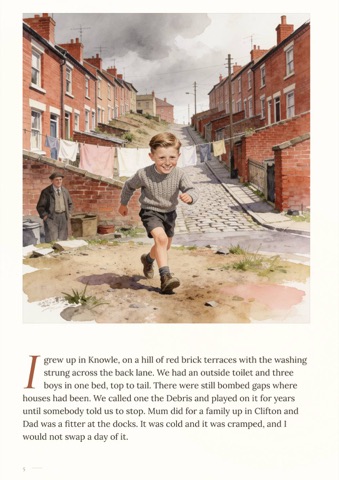
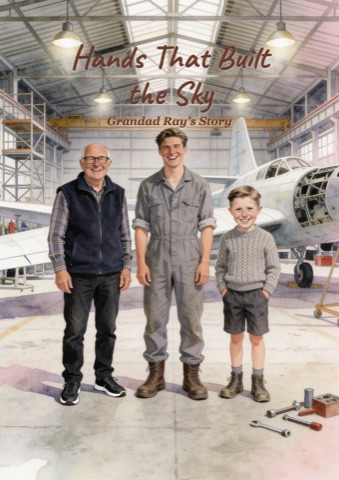
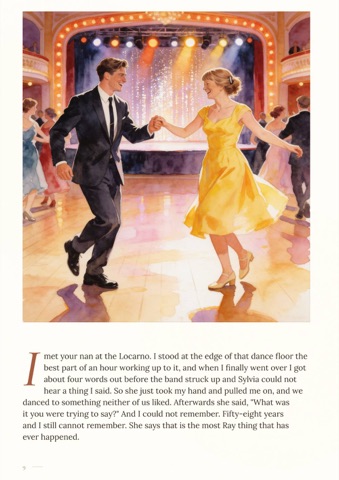
We make personalised illustrated books, painted page by page with AI from family photos: a grandparent's life story, or the story of how a couple met. Hairstyles change across the decades a story covers, so hair is a natural thing to want to adjust when you review a book. So the review page works the way this guide does: highlight the hair, say what it should be, and the rest of the page stays put. For other repairs, see how to fix proportions and missing limbs in an AI image.
Frequently asked questions
How do I change the hairstyle in an AI image without changing the face?
Use an edit or inpaint mode, mask only the hair (stopping just above the hairline), and write a command like "Change her hair to a short bob. Keep her face exactly the same." If the face still changes, make the mask smaller or change the cut and the colour in separate passes.
What is a good inpainting prompt for hair?
Name the length, colour, texture and parting, start with a verb and end with what must not change: "Make his hair short and grey, combed back. Keep his face and expression exactly the same." Avoid words that describe a different person, like "younger" or "glamorous".
Why does ChatGPT change the face when I ask for a new hairstyle?
Without a selection, ChatGPT generates a new image from your words rather than editing the original, so the face comes back slightly different. Select the hair before you type the instruction, and say that the face should stay the same.
Can I change only the hair colour?
Yes, and it is the easiest hair edit. Mask the hair, say "change only the hair colour to auburn, keep the cut and everything else the same", and the shape of the hair and the face should stay put.