To fix proportions or a missing limb in an AI image without starting over, use an edit (inpaint) mode, mask the whole limb from the joint it should grow out of, and describe the pose rather than the problem: "Her left arm hangs by her side, hand resting on the bench, the same length as her right arm. Change nothing else." Then fix one thing at a time. Regenerating the whole picture usually swaps one anatomy error for another.
This is a follow-up to how to fix one part of an AI image without regenerating the whole thing, which covers the basic idea: point at the spot instead of describing it. Anatomy is the case where that idea needs the most care, so here is what works.
Why AI images get arms, hands and proportions wrong
Image models do not build a skeleton and then draw around it. They paint what usually appears in pictures like the one you asked for. Most of the time that gives a convincing body. It breaks down in a few predictable places:
- Hands near objects. A hand holding a cup, a pen or another hand is a tangle of overlapping shapes, and the model often loses count.
- Limbs that go out of view. An arm behind a back, a leg under a table or an elbow at the edge of the frame can come back out the other side in the wrong place, or not at all.
- Two people touching. Arms around shoulders, linked hands and hugs are where limbs get merged or go missing.
- Small figures in a big scene. The further away a person is, the fewer pixels the model spends on them, and the stranger the proportions get.
- Children and older people. Head-to-body ratios change with age, and models drift towards an average adult.
Knowing which case you are in tells you how big your mask needs to be.
The fix, step by step
Mark the whole limb, not just the broken bit
The most common mistake is masking only the stump or the extra finger. The model then has to invent a fix that joins up with a wrong arm on either side, and it usually cannot. Mask from the joint the limb grows out of: the shoulder for an arm, the wrist for a hand, the hip for a leg. Include a little of the background around it so there is room to draw the limb in a new position.
Describe the pose, not the problem
"Fix the arm" or "the hand looks wrong" gives the model nothing to aim at. Say what the limb is doing:
- "Her right hand rests flat on the table, fingers together."
- "His left arm is around her shoulders, his hand visible on her far shoulder."
- "Both feet on the ground, one slightly in front of the other."
If a count matters, describe it as part of the pose ("holding the mug with four fingers wrapped round the handle and the thumb on top") rather than as a bare number. "Five fingers" on its own is easy to ignore.
Give a size to match
For proportions, give the model something in the picture to measure against. "His arm is the same length as his other arm, ending at his hip." "Her head is in proportion to her shoulders, the same size as the woman beside her." Relative instructions work far better than adjectives like "smaller" or "more natural".
Protect everything else
End the instruction with "change nothing else", and start it with a verb. "Add her left hand on the rail. Change nothing else." is much more reliable than a polite description of what you would like. The verb-first rule is explained in more detail in the main editing guide.
Fix one thing at a time
If a picture has a missing hand and a stretched neck, fix the hand, look at the result, then fix the neck. Two fixes in one instruction tend to fight each other, and you cannot tell which one caused a new problem.
When to regenerate the whole image instead
Masking is the right tool when the picture is mostly right. It is the wrong tool when:
- more than two or three things are broken at once;
- the problem is the whole pose (a person sitting in mid-air, a figure facing two ways at once);
- the composition puts the limb somewhere it cannot work, such as a hand that would have to pass through a table.
In those cases, change the prompt so the difficult bit is easier, for example "hands in his pockets" instead of "hands holding a map", and generate again.
How it works in the tools people use
The steps above transfer to any tool with an edit mode. A few notes:
- ChatGPT: upload the image, use the select tool to paint over the area, then type the instruction. Without a selection it generates a new picture from your words, so faces and backgrounds shift.
- Gemini: editing happens in the conversation, so name the region precisely ("his left arm, the one on the bench") and say clearly what must stay the same.
- Photoshop: make a selection around the limb with some background, then use Generative Fill with your pose description. For an extra limb, a selection with an empty prompt often removes it cleanly.
- Midjourney: use the region editor (Vary Region) on the upscaled image and describe the pose in the prompt box.
- ComfyUI or Stable Diffusion: inpaint with a mask and a moderate denoising strength; too high and the model ignores what was there, too low and the limb barely changes.
Why this matters to us
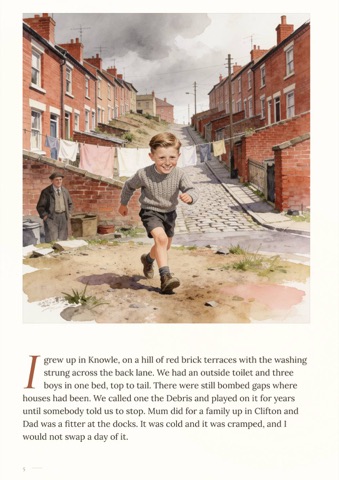
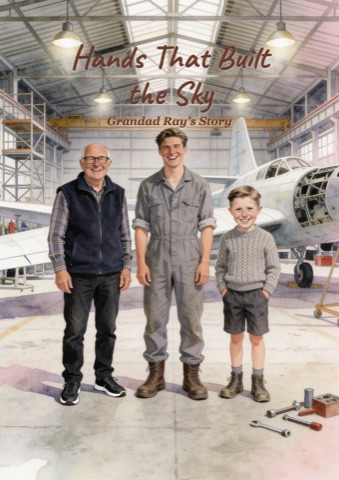
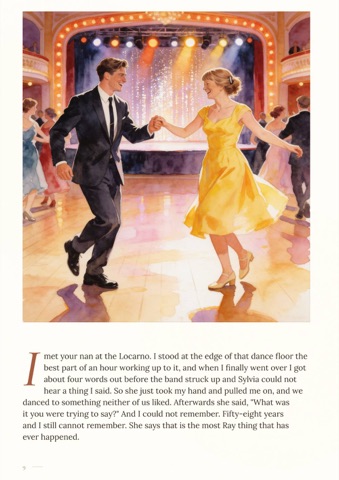
We make personalised illustrated books: a grandparent's life story, or the story of how a couple met, painted page by page from family photos. The illustrations are made with AI, and AI still gets the odd hand wrong, especially when two people are holding each other. So the review step lets you point at the page and say what is off, instead of rolling the dice on the whole picture again. Nothing prints until you approve it.
Frequently asked questions
Why does AI give people extra fingers or missing arms?
Because image models paint what usually appears in similar pictures rather than building a body from a skeleton. Overlapping shapes, like hands holding objects or two people hugging, make it easy for the model to lose count or merge limbs.
How do I add a missing arm to an AI image?
Use an edit or inpaint mode, mask from the shoulder outwards with some background around it, and describe where the arm is and what the hand is doing, then add "change nothing else". Masking only the stump rarely works.
How do I fix proportions in an AI image, like a head that is too big?
Mask the part that is the wrong size and give the model something in the image to match it to: "the same size as the man beside her" or "the same length as her other arm". Relative instructions work better than "smaller".
Should I just regenerate the whole image?
Only if several things are wrong at once or the pose itself is impossible. If the picture is mostly right, regenerating usually fixes the arm and breaks something else, such as a face or the background.