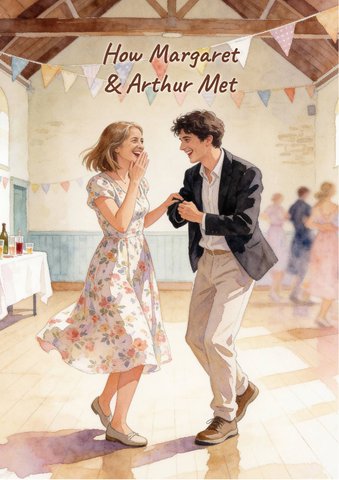
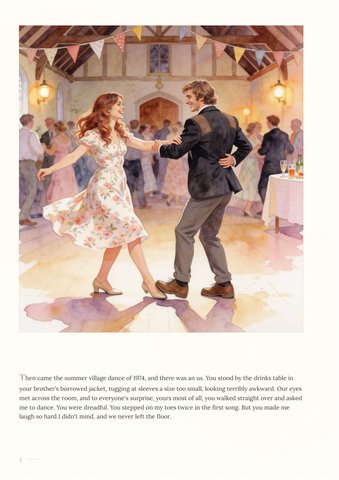
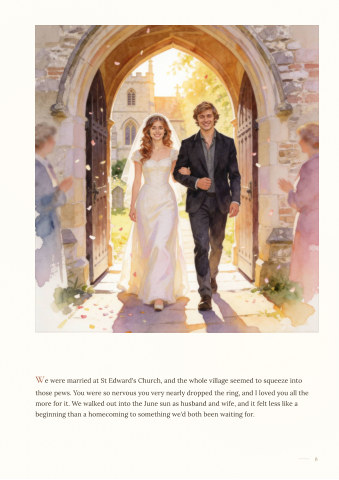
You've made a portrait that is nearly perfect. The light is right, the clothes are right, the setting is right. But the face is not quite them. The eyes sit a little too far apart, the nose belongs to someone else, the smile is close but not theirs. The instinct is to press regenerate. Don't: that's how you lose everything that was already right.
Key takeaways
- Don't regenerate the whole image to fix a face. Mark the face only.
- Give the tool the real reference photo again, every time.
- Say what's wrong in concrete terms ("the chin is too long"), not "it doesn't look like her".
- Fix one thing at a time, and stop after two or three tries to rethink.
- If the face is right but the expression isn't, fix the expression on its own.
Why faces drift
An image model rebuilds a face from what it has been told and shown. Every regeneration is a fresh guess, so small differences pile up. And faces are the one thing we're all experts at: you notice a nose that's two percent too narrow on someone you love, even if you can't say what changed.
How to fix it, step by step
- Start from the image you have. Use the tool's edit, inpaint or mask mode, not a new generation.
- Mark just the face, a little past the hairline and jaw. Leave the hair and ears out unless they are wrong too.
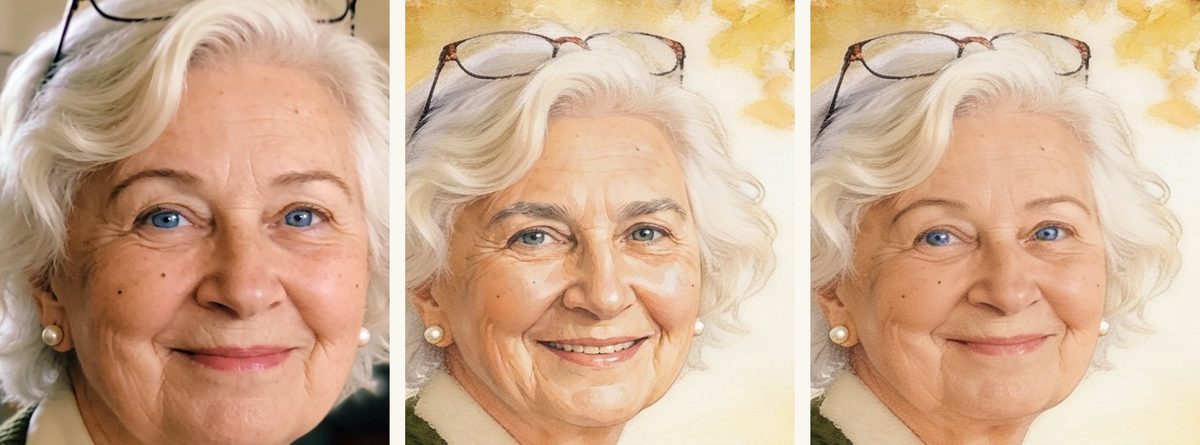
- Attach the reference photo: clear, well lit, front-on or three-quarter, and at the right age. For a young version, use a young photo.
- Say exactly what's wrong and what to keep: "The eyes are too far apart and the chin is too long. Match the face in the reference photo. Keep the expression, hair, lighting and everything outside the marked area the same."
- Look, then decide. If it's better but not there yet, do one more round on what's left, and only that.
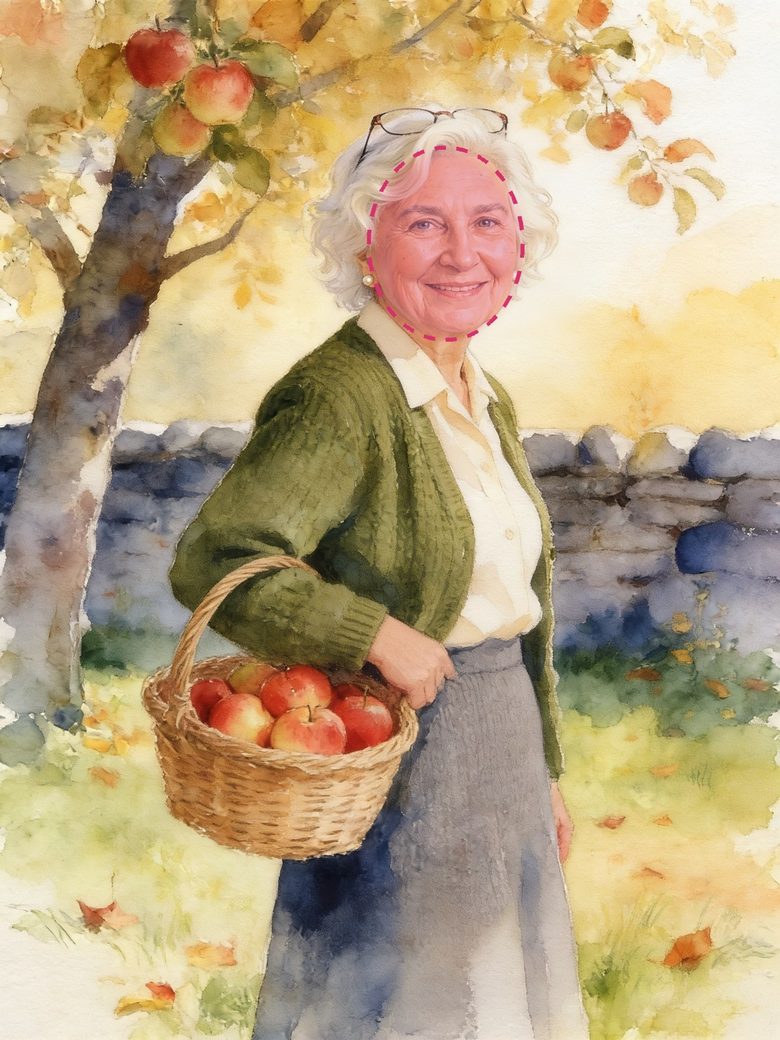
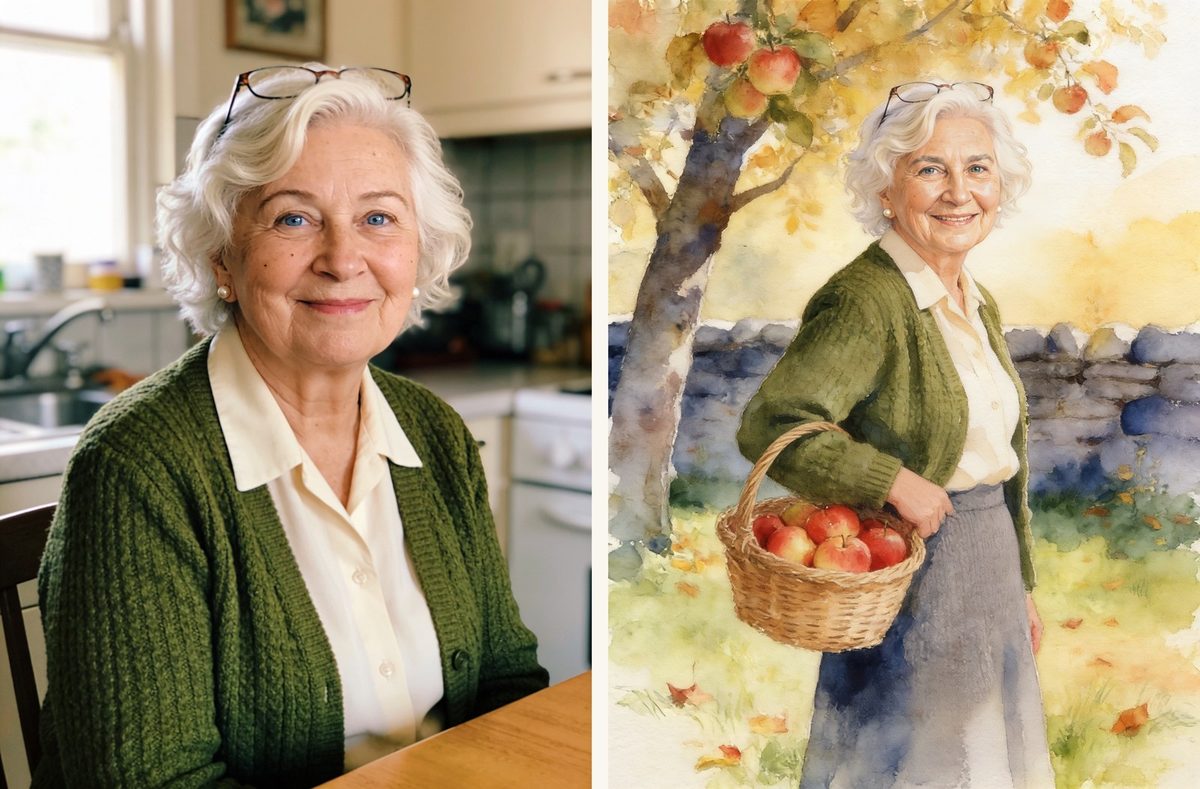
Here is the whole thing on one picture: the same painting before and after, with only the face repainted.
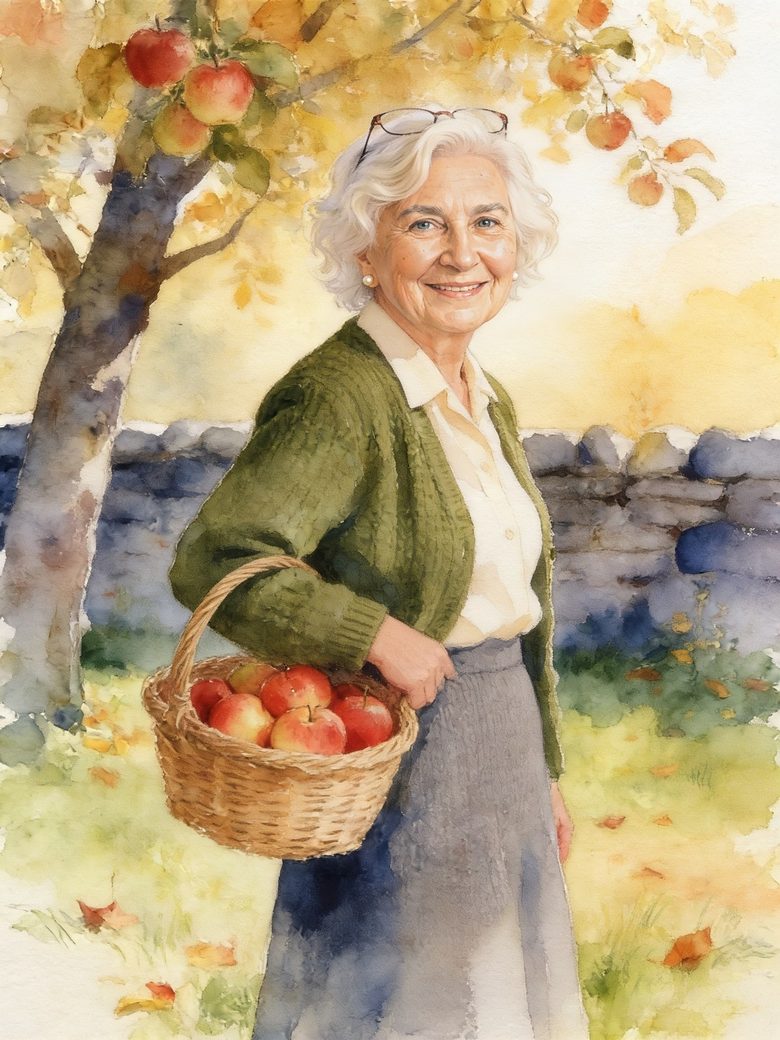
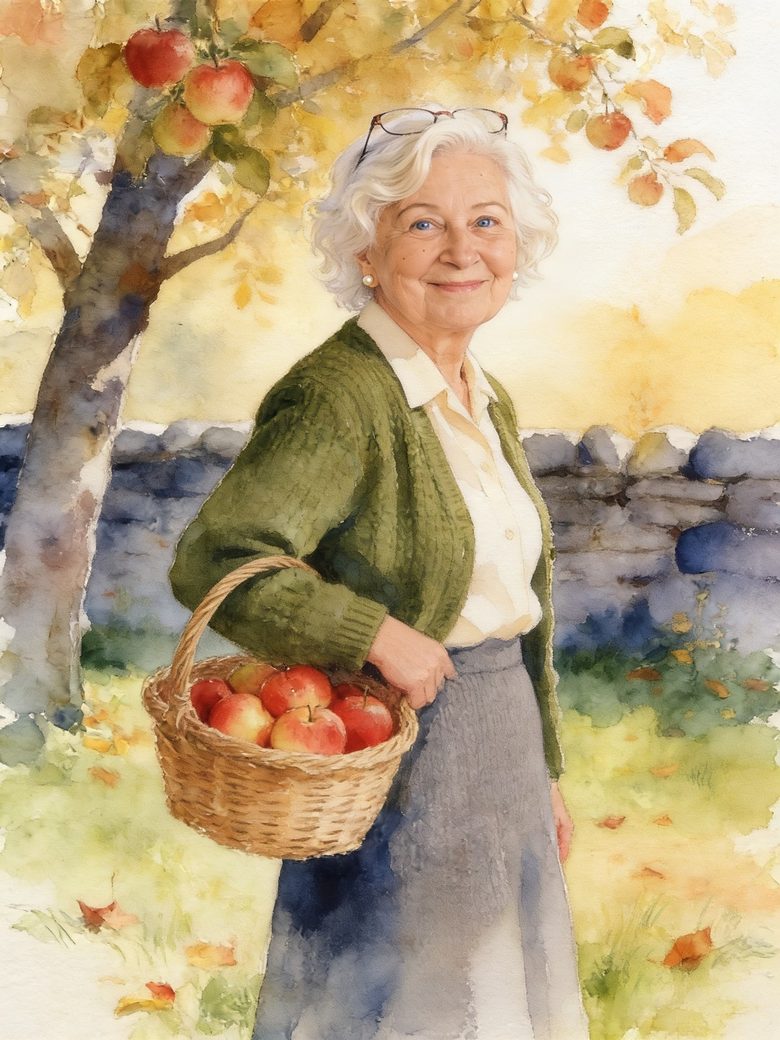
If you want the longer story of how highlight-and-fix works under the hood, read how to edit part of an AI image without regenerating.
What to write instead
- "She doesn't look like herself" → "Make the face rounder and the cheeks fuller, like in the reference photo."
- "He looks too young" → "Add the deeper lines around the eyes and mouth from the reference photo. He is 78."
- "The smile is wrong" → "Closed-mouth smile, as in the reference photo. Change nothing else."
When to stop
If three rounds haven't got there, the model is stuck. Try a different reference photo, or fix a single feature at a time. And remember what you're aiming for: in a painted style, the goal is "that's her", not a photograph.
How we handle this in Memolio
Memolio turns your real photos and memories into an illustrated hardcover, and every face is painted from the photo you upload. When a face looks slightly off on review, you tap it, say what's wrong, and we repaint only that face against the photo. Everything else on the page stays as it is. You have up to 50 free regenerations before anything prints. In a How We Met book there are two faces on almost every page, so this is how you get both of you right.
FAQ
Why does the face change every time I regenerate?
Because regenerating makes a new image from scratch. Edit just the face instead, against a reference photo.
How do I make an AI portrait look more like the real person?
Mark only the face, attach a clear photo of them, and name the one or two features that are off.
Can I fix the face without changing the expression?
Yes: say "keep the expression" in the instruction, and fix the expression separately if needed.