Ordering the printed book
How do I order the printed book?
When you are happy with every page, you order the printed book yourself, on the page where you check your book. Nothing is printed before that: looking at pages, fixing pictures and changing words never start printing.
First a window asks you to take one last look at your book. Then you check the title that is printed on the cover and fill in where the book should go. If you have already paid for your book, ordering the printed copy costs nothing more. If your book was made for free with a code, the order button shows a price, and you pay for the hardcover on a secure payment page when you order.
After you order, your book cannot be changed any more, but you can still look at every page. So take your time and fix everything first. Printing and delivery then take 5–10 working days (EU + UK; US around 7–10 working days).
The printed book looks like what you see here: the same pages, with the words and pictures in the same places. On a phone everything looks small, but the book is a large hardcover in A4 portrait format, with 24 pages in full colour on thick, smooth paper. The words print sharp. The pictures are watercolour paintings, so on paper their colours can look a little softer than on a bright screen.
Steps
- Scroll down below your book to “Happy with your book?” and tap or click “Order My Printed Copy!”.
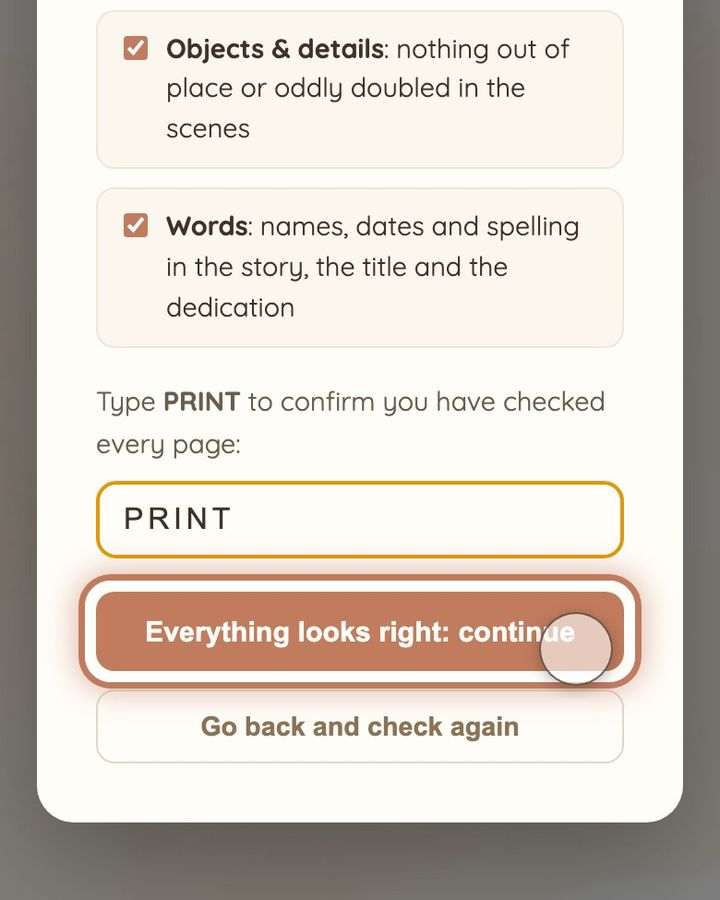
- In the window “One last look before it prints”, tick the four boxes once you have checked those things. Type the word PRINT in the box and tap or click “Everything looks right: continue”.
- In the form “Delivery Address”, check the title at the top: it is printed on the cover. Then fill in your name, address, country, email address and phone number.
- Check everything once more. Then tap or click “Place Order”: this orders the real book.
- When “Order Placed!” appears, you are done. The order button now says “Already ordered ✓”.
Short video: The last check before printing
11 seconds · no sound
- Happy with every page? Tap or click “Order My Printed Copy!”.
- “One last look before it prints”: tick the four checks once you have looked.
- Type PRINT in the box.
- Tap or click “Everything looks right: continue”. Nothing is ordered yet.
If you cannot find the order button, or nothing happens when you press it, reload the page and try again. If the button says “Already ordered ✓”, your book has already been ordered, so please do not order it again. If something still does not work, write to us at hello@memolio.io and tell us your email address.
Still stuck? Write to us at hello@memolio.io and tell us what you were trying to do.